
AI image text translator
Translate Text in Image, Keep the Design
Upload an image, pick one of 20 languages, and AI rewrites every line of text in that language, in place, in a font, color and size close to the original, so you get a translated picture rather than a list of words. Your first edit is free; after that an edit is $0.50.
Translate the words, keep the photo
First edit free · then $0.50 an edit · no subscription
Upload an image with text on it to start, or try the sample poster.
Each edit: 125 credits ($0.50) · first edit free · $5 buys 10, no subscription
Example: English → Spanish
Real result · drag to compare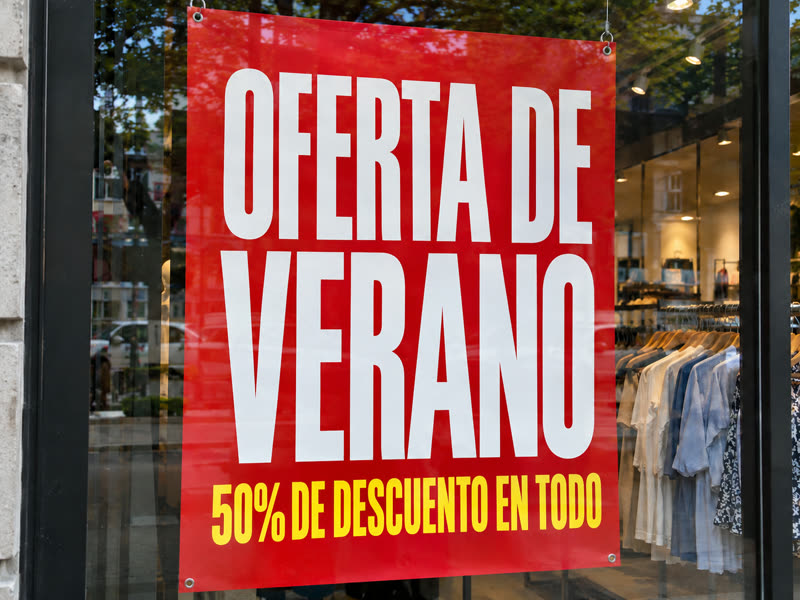
 BeforeAfter
Real results, not mock-ups
Translate text in image: before and after
Drag across each picture to compare. These are unretouched results from the model the editor uses, at the same size as the image that went in.
- BeforeAfter
A sale poster in Spanish
"SUMMER SALE" became "OFERTA DE VERANO" and "50% OFF EVERYTHING" became "50% DE DESCUENTO EN TODO", in the same white and yellow condensed capitals. The figure 50% was kept.
 BeforeAfter
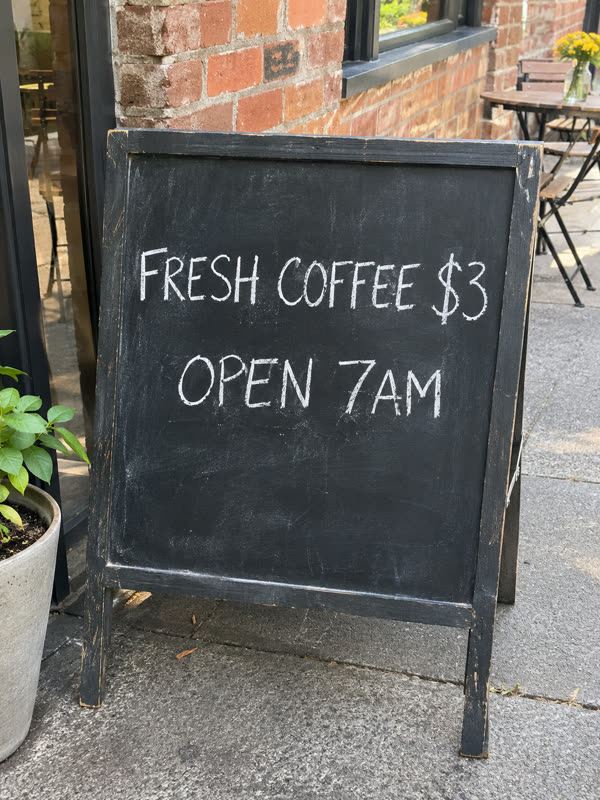
Or change the words yourself
When you know the exact wording you want, Edit mode replaces it word for word in the same lettering: "50% OFF EVERYTHING" became "30% OFF DRESSES".
 BeforeAfter
Or remove the text
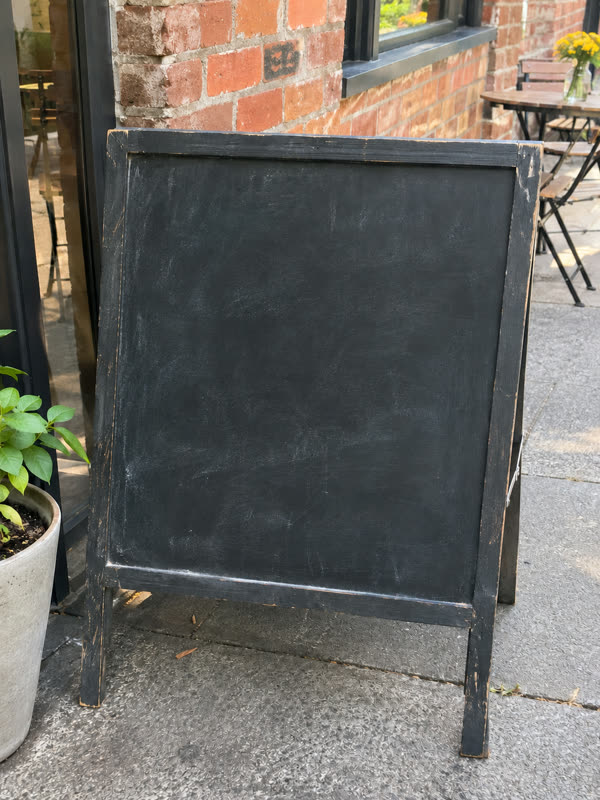
To set the translation yourself in a design tool, take the original text off first. Here every word left the chalkboard.
The test photos were made with an AI image model for this page, so you can see a clean before and after. The results are single, unretouched edits from gpt-image-2, the model the editor uses. A translation is a machine translation: have a speaker of the language read anything you will print or publish.
Four steps
How to translate the text in an image
- 01
Upload the image
A JPG, PNG or WebP up to 10 MB with readable text: a poster, a menu, a product label, a slide, a screenshot or a sign.
- 02
Pick the language
Choose one of 20 languages. All the text in the image is translated; brand names, logos, numbers and prices are kept as they are.
- 03
Press Translate text
Sign in when you press it, and your image and language wait for you. Your first edit is free; after that an edit is 125 credits ($0.50). In our tests an edit took 30 to 80 seconds.
- 04
Check and download
Drag across the result to compare it with the original, have the wording checked, and download the image at the size you uploaded it. It stays in My edits.
20 languages
Languages you can translate image text into
The text in your image can be in any language the model reads; the translation is into one of these. Scripts that differ from the original, such as English into Arabic or Japanese, cannot copy the original font, so the editor picks a similar style.
- 01
Western European
English, Spanish, French, German, Italian, Portuguese and Dutch.
- 02
Central and Eastern European
Polish, Turkish, Russian and Ukrainian.
- 03
Middle East and South Asia
Arabic and Hindi.
- 04
East and Southeast Asia
Japanese, Korean, Simplified Chinese, Traditional Chinese, Indonesian, Vietnamese and Thai.
One picture, many markets
Why people translate the text in an image
A design with words baked in has to be rebuilt for each language unless the words can be swapped in place.
- 01
Sell in another country
Translate the text on product photos, packaging shots and listing images for a marketplace in another language, without rebuilding each image.
- 02
Localize ads and social posts
Turn one ad creative, banner or post into versions for each market while the photo, the colors and the layout stay the same.
- 03
Make a menu, a sign or a poster bilingual
Give visitors a version of your menu board, opening hours or event poster in their language.
- 04
Translate slides and screenshots
Translate the text in a slide, a diagram or an app screenshot for a team, a guide or a presentation abroad.
- 05
Correct a word after translating
If one word of the translation needs changing, use Edit mode on the result: type the word as it appears and the word you want.
- 06
Start from a clean image
To set your own translation in a design tool, remove the original text first and keep the background.
For a translation that fits
Tips to translate image text well
- 01
Expect longer lines in some languages
German, French and Spanish often run longer than English. The editor fits the translation into the same space, so the letters can get a little smaller.
- 02
Use a sharp image with readable text
The model has to read the text before it can translate it. Large, clear text translates and matches best; tiny print may be skipped or misread.
- 03
Have the wording checked
This is machine translation. It is usually understandable, but tone, idioms and legal or medical wording need a person who knows the language.
- 04
Fix single words with Edit
If one word is off, edit the translated image instead of translating again: list that word and its replacement. A failed edit returns its credits.
One-time, no subscription
Translate text in image: first edit free, then $0.50
Every account gets one free edit. After that, each edit is 125 credits, which is $0.50, and a one-time $5 purchase adds 1,250 credits: ten edits.
- First edit free for every account, no card needed
- 125 credits ($0.50) for each translated image after that
- $5 one-time for 1,250 credits: ten edits, no subscription
- Credits come back when an edit is confirmed failed
Translate text in image: questions and answers
How do I translate text in an image and keep the design?
Upload the image, pick the language and press Translate text. Instead of giving you the words as a list, the editor rewrites each line in the image itself, in a similar font, color and size, and keeps the rest of the picture as it was.
Can I translate text in an image for free?
Once. Every account gets one free edit, with no card needed; you sign in when you press Translate text. After that each edit is 125 credits ($0.50), bought as a one-time $5 pack of ten. There is no subscription.
Which languages can I translate image text into?
Twenty: English, Spanish, French, German, Italian, Portuguese, Dutch, Polish, Turkish, Russian, Ukrainian, Arabic, Hindi, Indonesian, Vietnamese, Thai, Japanese, Korean, Simplified Chinese and Traditional Chinese.
Does it translate text in an image accurately?
It is a machine translation made by an AI image model, so it is usually understandable but not always idiomatic, and a word can come out misspelled. Read the result, have a speaker check anything you will print, and fix single words with Edit mode.
Are brand names and prices translated too?
No. The editor is told to keep brand names, logos, numbers and prices unchanged and to translate the rest. In the poster example the 50% stayed while the words around it became Spanish.
Can I translate only part of the text?
Translate mode translates all the text. To change only some lines, use Edit mode and type each line with its translation; up to five pieces of text per edit.
How is this different from Google Translate's image translation?
Camera translation shows you what the text means. This makes a new image with the translated words set in place, ready to use in a listing, an ad or a poster. It costs an edit per image, so use it when you need the picture, not just the meaning.
How long does it take to translate text in an image?
In our tests an edit took 30 to 80 seconds. The result appears when it is ready and is saved in My edits.
Are my images kept private?
Your images and results are stored at long, unguessable addresses and are never used to train AI models. Write to contact@editphototextai.com and we delete them within 30 days.
Same editor, other jobs
Other ways to change the text in an image
- Edit text in photoReplace the words on a sign, poster or screenshot and keep the original font, color and size.
- Remove text from imageTake captions, dates, stickers or your own watermark off a picture and fill the space with the background.
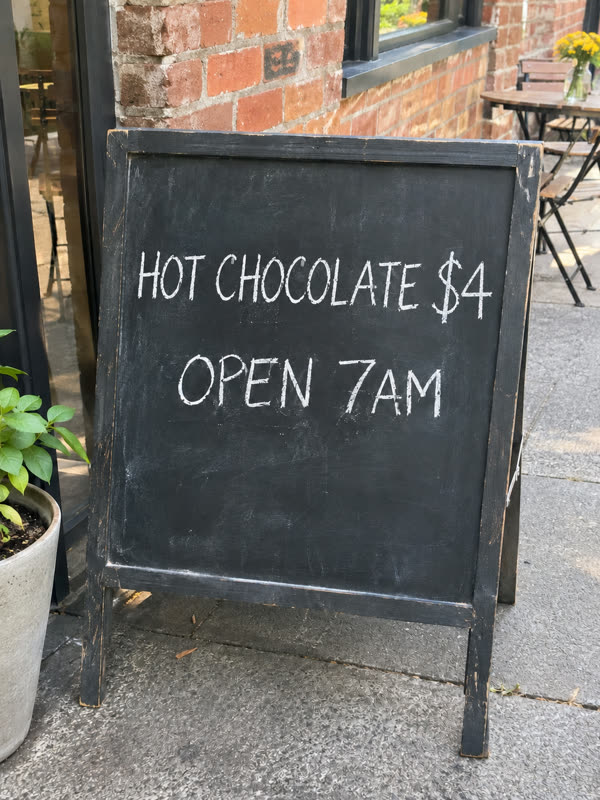 Photo text editorEdit, remove and translate in one place: what the editor can do, what it costs and where it falls short.