
AI photo text editor
Edit Text in Photo, Keep the Original Font
Upload a photo, type the words to change and the new words, and AI rewrites them in the same font, color and size while the rest of the photo stays as it was. Your first edit is free; after that an edit is $0.50.
Change the words, keep the photo
First edit free · then $0.50 an edit · no subscription
Upload a photo with text on it to start, or try the sample poster.
Each edit: 125 credits ($0.50) · first edit free · $5 buys 10, no subscription
Example: "50% OFF EVERYTHING" → "30% OFF DRESSES"
Real result · drag to compare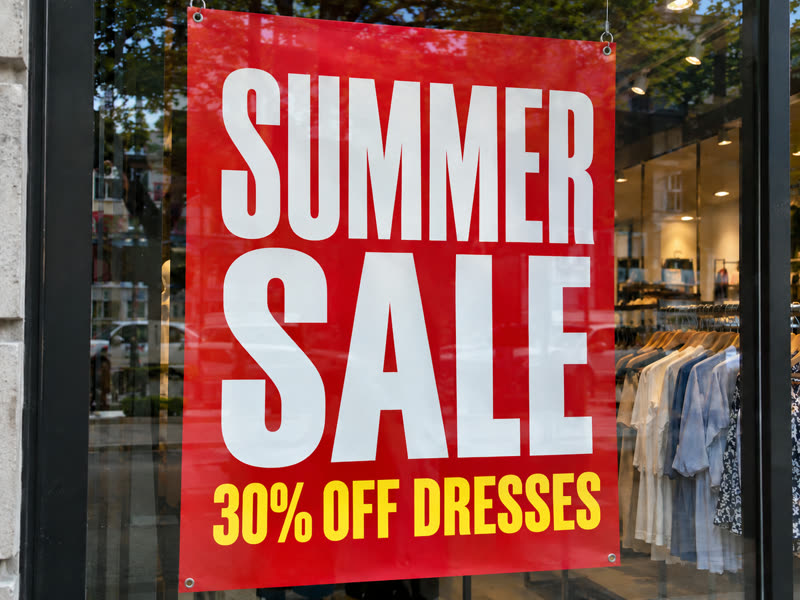
 BeforeAfter
Real results, not mock-ups
Edit text in photo examples: before and after
Drag across each picture to compare. These are unretouched results from the model the editor uses, at the same size as the photo that went in.
- BeforeAfter
A new offer on a sale poster
"50% OFF EVERYTHING" became "30% OFF DRESSES" in the same yellow condensed capitals, on the same line, while "SUMMER SALE" and the shop window behind stayed untouched.
 BeforeAfter
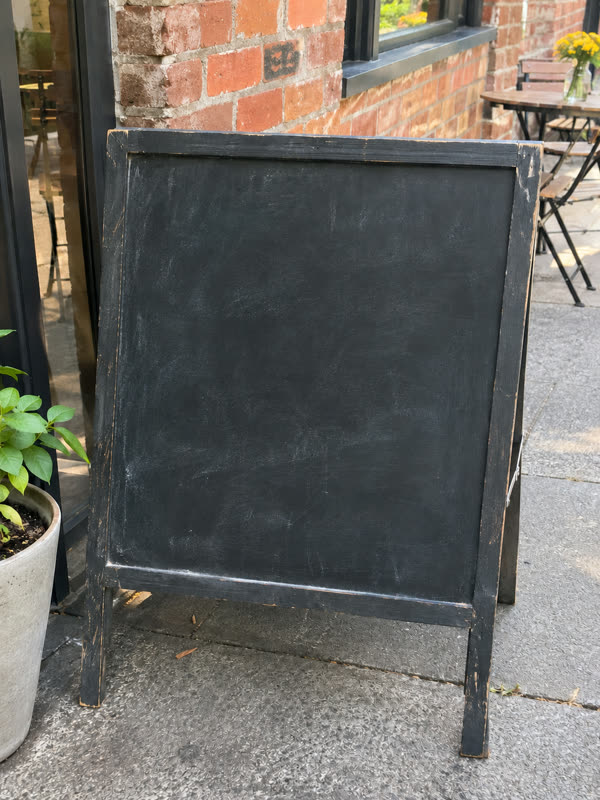
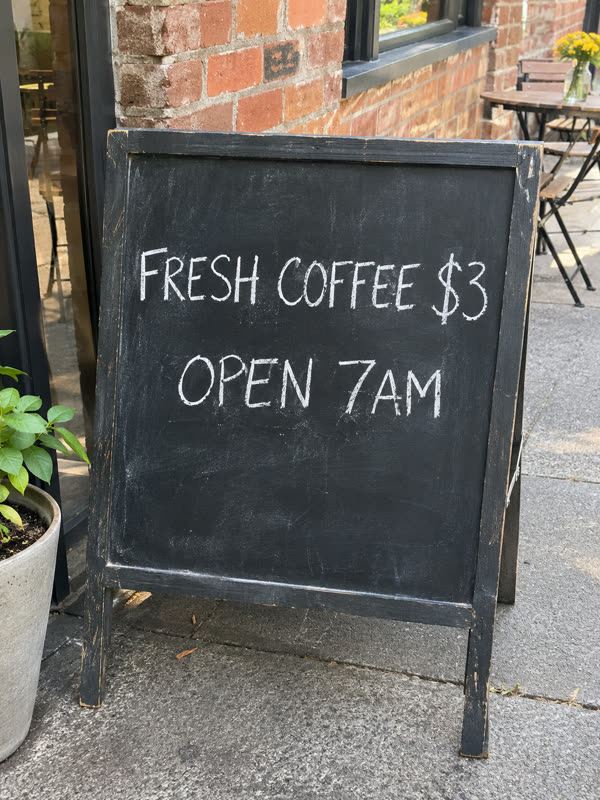
A clean chalkboard
Every word removed from a café sign, with the chalk dust and the board's texture filled back in, ready for new writing or a mock-up.
 BeforeAfter
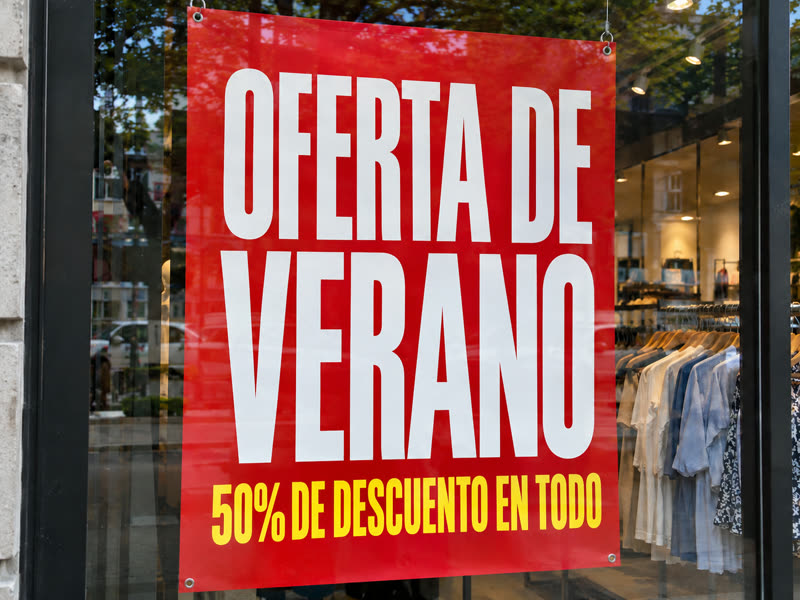
The poster in Spanish
Every line translated in place: "OFERTA DE VERANO" and "50% DE DESCUENTO EN TODO", in the same white and yellow lettering on the same red poster.
Both test photos were made with an AI image model for this page, so you can see a clean before and after. The edits are single, unretouched results from gpt-image-2, the model the editor uses; a busier photo or smaller text may need a second try.
Under a minute or two
How to edit text in a photo in four steps
- 01
Upload the photo
A JPG, PNG or WebP up to 10 MB: a sign, a poster, a product label, a screenshot, a menu or a meme. The clearer and larger the text, the better the new text matches it.
- 02
Type the old and the new text
Write the words as they appear in the photo, then what they should say instead. Change up to five pieces of text in one edit; anything you do not list stays as it is.
- 03
Press Edit text
Sign in when you press it, and your photo and text wait for you. Your first edit is free; after that an edit is 125 credits, which is $0.50. In our tests an edit took 30 to 80 seconds.
- 04
Compare and download
Drag across the result to compare it with your photo, check every word, then download it at the size of the photo you uploaded. Every edit stays in My edits.
Change the words, not the picture
Why people edit the text in a photo
Reshooting or redesigning to change a few words takes far longer than the words themselves. These are the edits people come here for.
- 01
Update a price, a date or an offer
A new price on a menu board, a new date on an event poster, a different discount on a sale banner: keep the photo you already have and change only the words that went out of date.
- 02
Fix a typo in a finished image
A spelling mistake in a flyer or a social post you only have as an image. Type the wrong word and the right one, and the correction is set in the same lettering.
- 03
Make a mock-up with your own words
Put your brand name on a storefront photo, your headline on a billboard or your text on a T-shirt, to show a client or a team how it could look before anything is printed.
- 04
Rework a meme or a screenshot
Change the caption of a meme or the words in a screenshot while the picture and the layout stay the same. Do not use it to fake messages or documents.
- 05
Clear the text off a photo
Take a watermark of your own, a date stamp or a caption off a photo, and get the background back where the text was.
- 06
Put a poster or label in another language
Translate the text on a product label, a menu or a poster into one of 20 languages, line by line, in a similar font.
Get it right the first time
Tips to edit text in a photo so it looks untouched
- 01
Type the old text exactly
Copy the words as they appear, with the same spelling and line breaks folded into one line. The model finds the text by what you type, so "50% OFF EVERYTHING" works better than "the discount".
- 02
Keep the new text about as long
New words that fit the space the old ones took keep the same size and layout. Much longer text has to shrink or wrap, and it may no longer match the line around it.
- 03
Start from a sharp photo
Large, sharp, evenly lit letters carry their font and texture over best. Tiny print, heavy blur, or text at a steep angle is harder to match, and fine print near the edit can change.
- 04
Check every word before you use it
AI image models can misspell a word or change a character. Compare the result with your photo, read each line, and edit again if something is off. A failed edit returns its credits.
One-time, no subscription
Photo text editing price: first edit free, then $0.50
Every account gets one free edit. After that, each edit is 125 credits, which is $0.50, and a one-time $5 purchase adds 1,250 credits: ten edits.
- First edit free for every account, no card needed
- 125 credits ($0.50) for each edit after that
- $5 one-time for 1,250 credits: ten edits, no subscription
- Credits come back when an edit is confirmed failed
Edit text in photo: questions and answers
How do I edit text in a photo without Photoshop?
Upload the photo here, type the text as it appears and the text you want instead, and press Edit text. AI rewrites those words in a matching font, color and size, and leaves the rest of the photo alone. There is nothing to install, no layers and no font to hunt for.
Can I edit text in a photo for free?
Yes, once. Every account gets one free edit, with no card needed; you sign in when you press Edit text. After that each edit costs 125 credits ($0.50), bought as a one-time $5 pack of ten edits. There is no subscription.
Does it keep the original font when I edit text in a photo?
It matches it: the model is asked to keep the font, weight, color, size, position, perspective and texture of each piece of text it changes. On clear, printed or hand-lettered text the new words usually look like the original. It does not identify the font by name, and on very small or blurry text the match is looser.
How much of the photo changes when I edit its text?
Only the words you list are meant to change; the people, objects, colors, lighting and framing are kept. The result has the same pixel size as your photo. Fine details close to the edited text can shift slightly, so compare before and after with the slider.
Can I change several pieces of text at once?
Yes, up to five in one edit: each one is a pair of the text now in the photo and the text it should become. Text you do not list stays as it is. For more than five changes, edit the result again.
What kinds of photos can I edit text in?
Any JPG, PNG or WebP up to 10 MB with readable text: signs, posters, menus, packaging, product labels, T-shirts, screenshots, slides and memes. Handwriting and chalk lettering work too, as the chalkboard example shows.
How long does it take to edit text in a photo?
In our tests one edit took 30 to 80 seconds. You do not have to keep the page open: the result appears when it is ready and is saved in My edits.
What if the edited text is wrong?
If an edit fails, its credits come back to your balance, and a failed free edit can be tried again. An edit that finishes with a misspelled or misplaced word still counts, so keep the old text exact and the new text close in length; then edit the result again to fix the word.
Are my photos private? Do you train AI on them?
Your photos and results are stored at long, unguessable addresses and are not listed anywhere, and we do not use them to train AI models. We keep them so you can come back to them; write to contact@editphototextai.com and we delete them within 30 days.
Can I use it to change text in documents or IDs?
No. Do not edit IDs, certificates, receipts, contracts or anything meant as proof, and do not edit photos you have no right to change. The terms of service forbid using edits to deceive.
Same editor, other jobs
More ways to change the text in a photo
- Remove text from imageTake captions, dates, stickers or your own watermark off a picture and fill the space with the background.
- Translate text in imagePut the words on a poster, label or menu into one of 20 languages, in place and in a similar font.
- Photo text editorEdit, remove and translate in one place: what the editor can do, what it costs and where it falls short.